THE DAYFLOWER FLOWER SHOP
Free digital
bouquet creator.
Choose flowers, add photos and a note, then send a link. No account needed.
How to design your own bouquet online
1. Pick and arrange flowers
Choose their favorites from 54 illustrated blooms. Arrange the stems in a classic bunch or taller tiers, then choose wrapping paper or a vase.
2. Make it personal
Tuck in a photo, add their name, and write a note. A small detail from your day can mean more than a perfect phrase.
3. Share or download
Create a gift link to send in your usual chat, or download a PNG. They can open the link in a browser without signing up.
Little things to know
What is a digital bouquet?
A digital bouquet is an arrangement of illustrated digital flowers you make online and send as a link or image. It is a virtual gift, not a physical flower delivery. Dayflower lets you personalize it with wrapping or a vase, photos, and a message.
Can I design my own bouquet online for free?
Yes. Pick from 54 flowers, arrange them in a classic bunch or taller tiers, choose wrapping or a vase, add a note, and share your bouquet without an account or payment.
How does the gift link work?
Your link opens the bouquet in a browser, and the preview your chat app shows says only that you made someone something. It never gives away what is inside. Anyone with the link can open it and read the note, so keep it between you if it is personal.
Can I change it after sending?
Each link is a snapshot of your bouquet. If you make changes, create and send a new link. The original link keeps its original flowers and message.
Can I keep my flowers?
Yes. Download a PNG image of the bouquet and its note. Your unfinished bouquet is also saved in this browser when local storage is available. Shared gift links keep working for about 400 days, so download the image for anything you want to keep for good.
Online flower arrangements to send from anywhere
These digital flowers arrive as a link, so there is no florist, no delivery window, and no address to ask for. Choose from 54 illustrated blooms, arrange them at different heights, add wrapping or a vase, tuck in a photo and a handwritten-looking note, then send it by message or email. It is free, and neither of you needs an account.
It suits the days a real delivery cannot reach: a partner in another country, a friend whose address you never got round to asking for, a birthday you remembered an hour before midnight. If you would like something to keep as well, download the bouquet as an image, or make a photo strip to go with it. Looking for something physical instead? Our gift ideas are picked from Shopee Philippines.
Stuck on the note? Try our digital bouquet message ideas for birthdays, thank-yous, and long-distance love. Each one is a starting point you can make your own.
A little something, just for you
For Sam
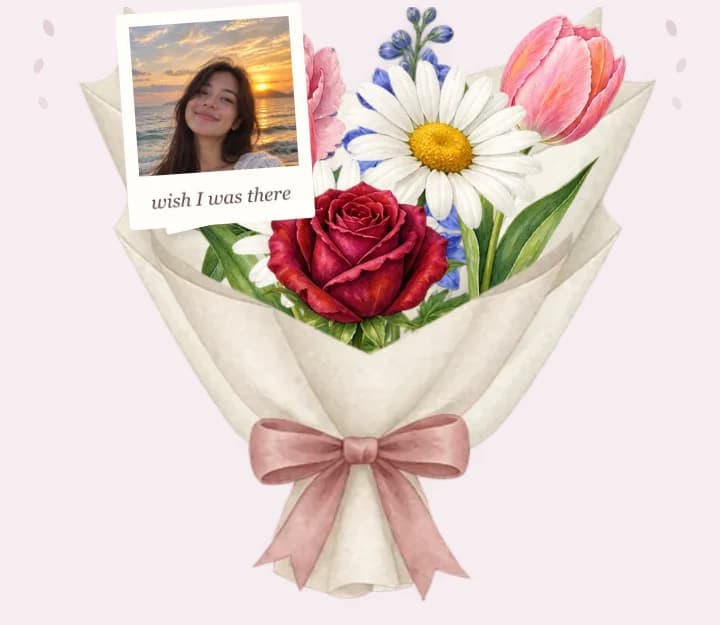
Thinking about you on the walk home, which is most of the walk home. Nothing is wrong. I just wanted you to have something today.
With love, Alex 🌷
Made with love · Dayflower